Elms Figma Design
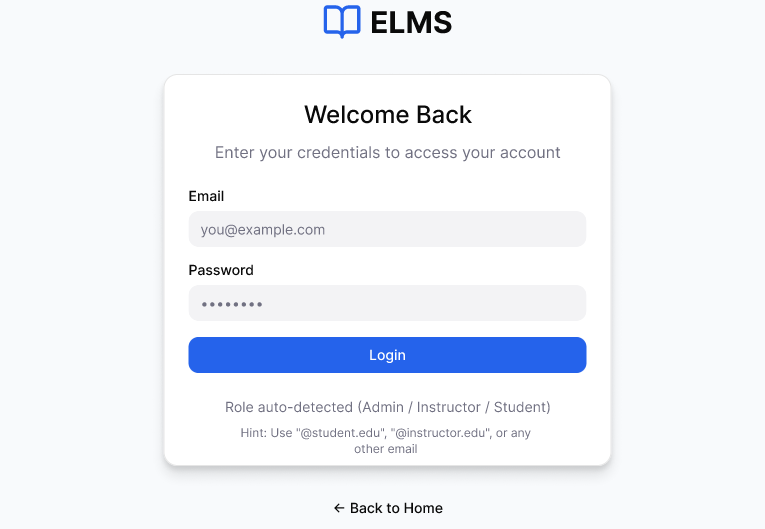
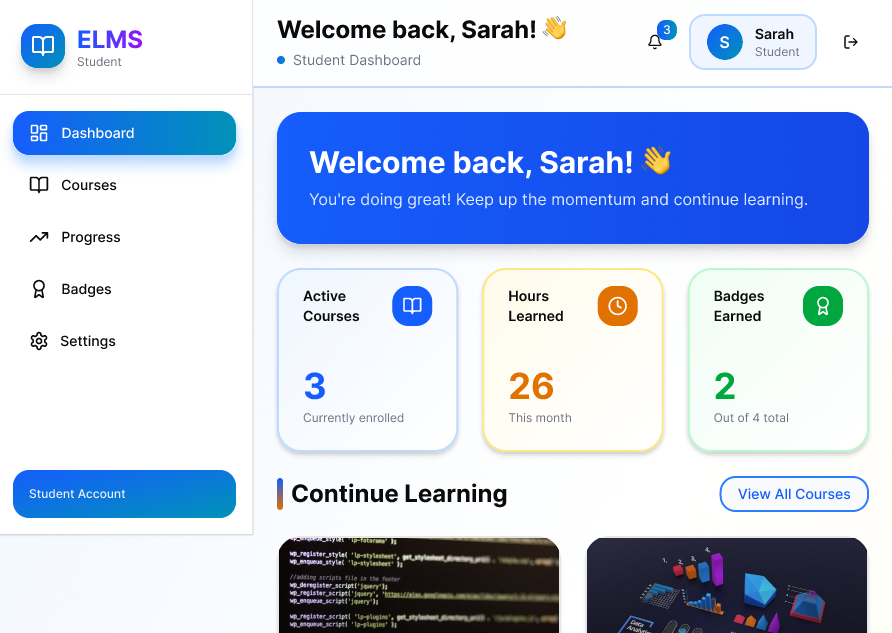
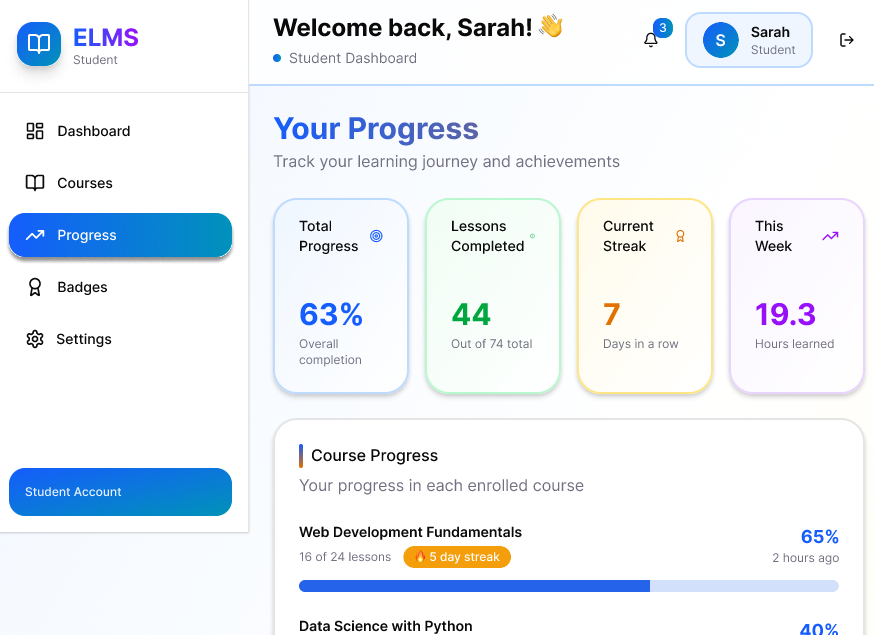
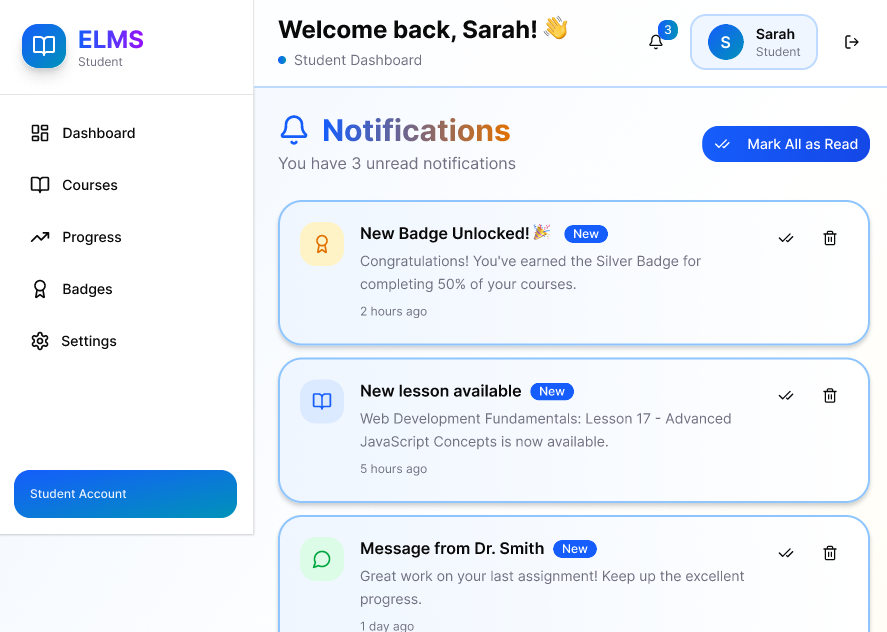
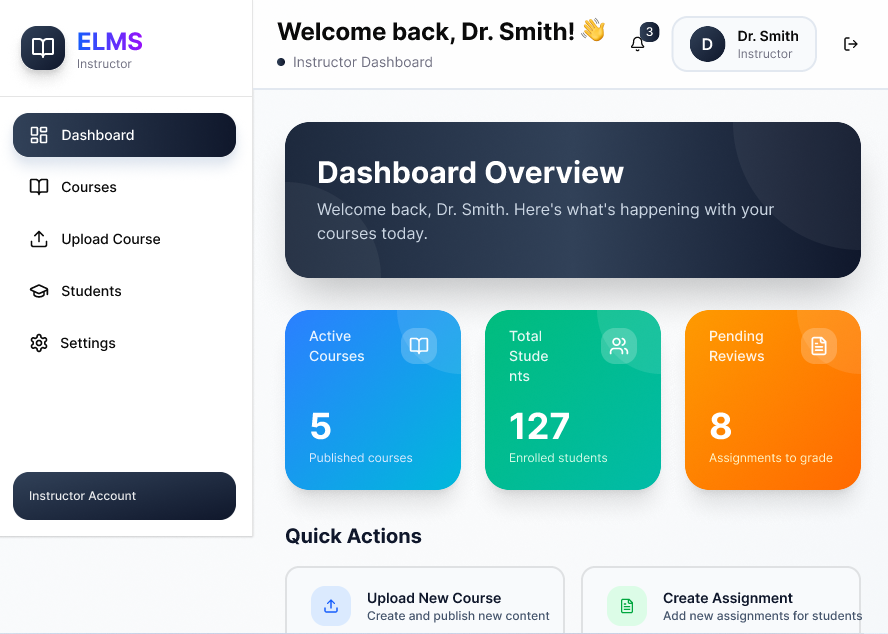
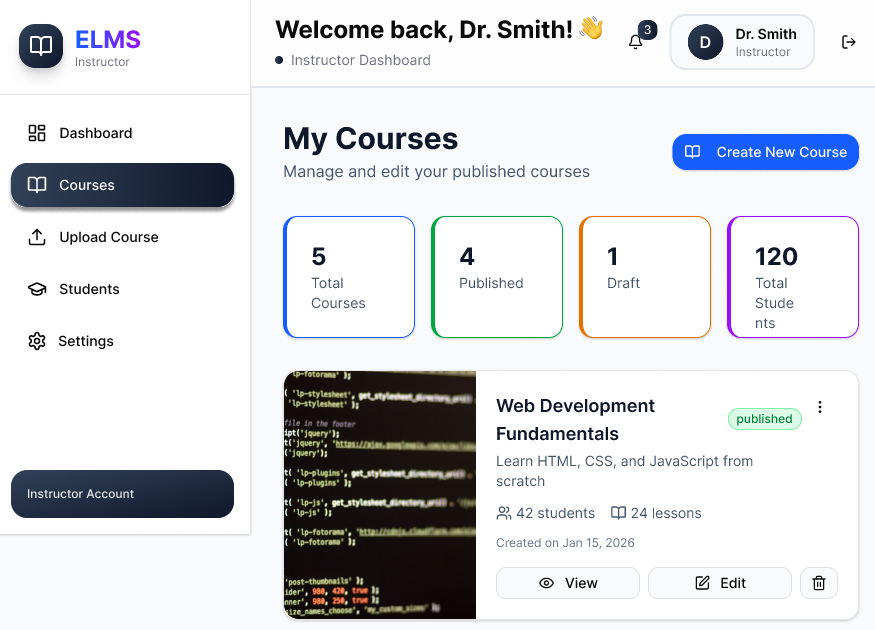
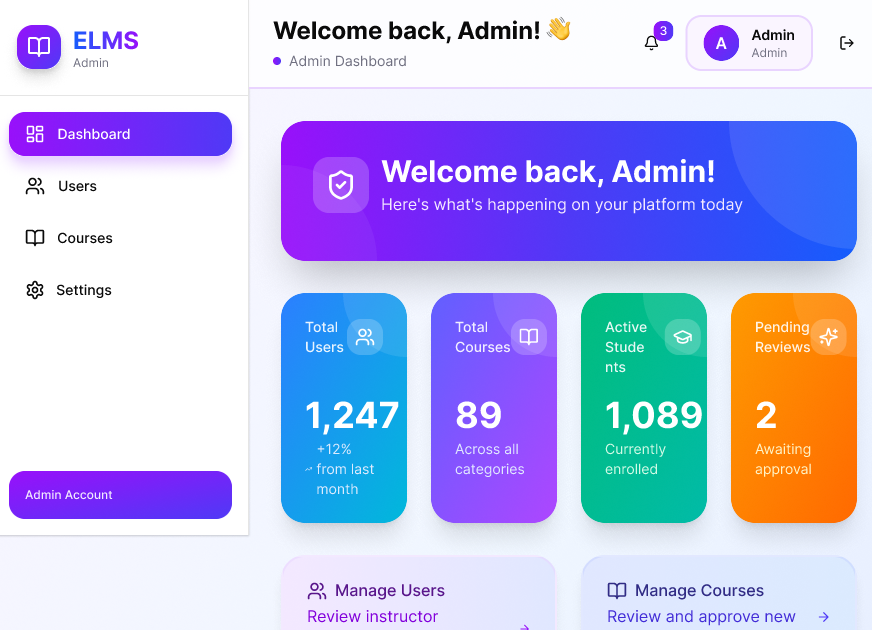
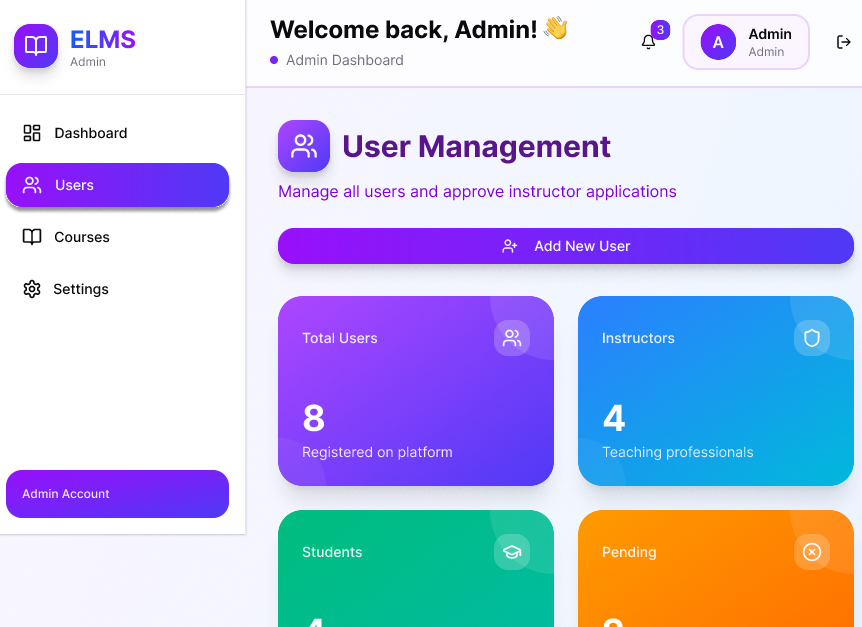
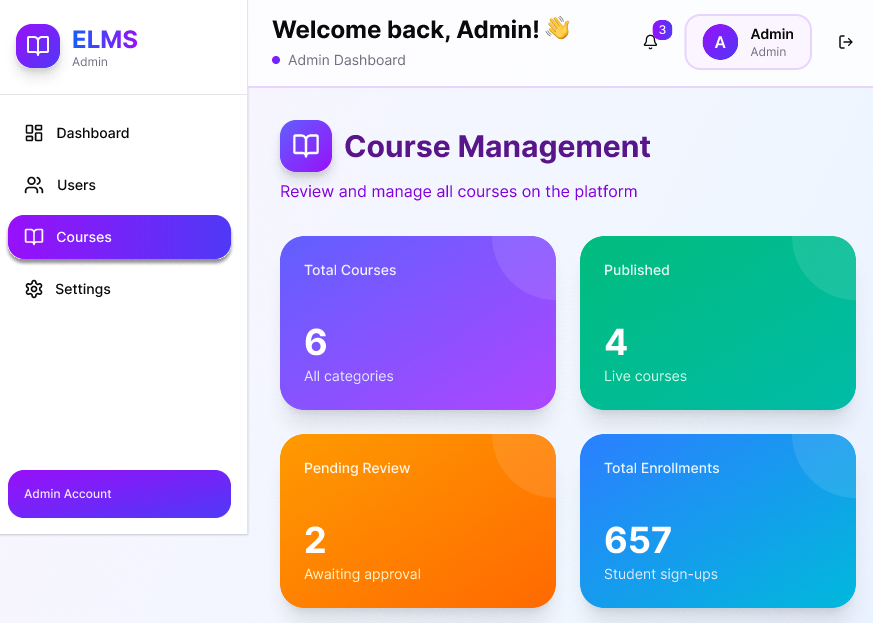
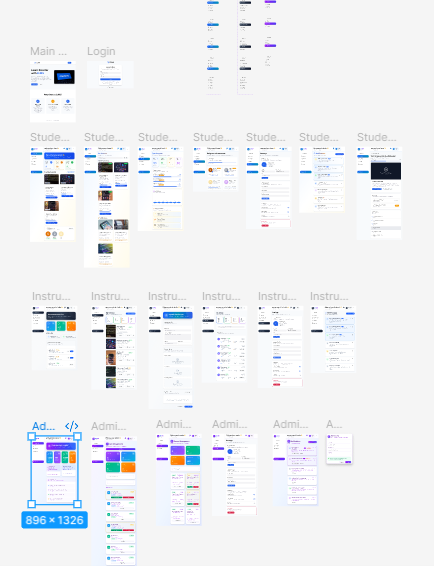
Elms Design is a modern UI/UX design prototype focused on creating a clean, user-friendly, and visually engaging digital experience. The project emphasizes intuitive navigation, consistent design elements, and a smooth user journey while transforming ideas into an interactive prototype using Figma.
Description
Elms Design is a high-fidelity UI/UX prototype built to visualize the complete user experience before development begins. The project focuses on organizing content in a simple, accessible, and aesthetically pleasing way while ensuring users can navigate effortlessly. Every screen was designed with consistency, usability, and responsiveness in mind, making it easier for developers and stakeholders to understand the final product vision before implementation.
Tech Stack
Key Features
- Clean and modern interface
- User-friendly navigation
- Consistent typography and color palette
- Responsive layout considerations
- Interactive screen transitions
- Reusable components for consistency
- Organized design system
- Well-structured user flow
- High-fidelity prototype for stakeholder presentation
Challenges
Maintaining consistency across multiple screens. Creating a reusable component system instead of designing everything from scratch. Balancing visual aesthetics with usability. Organizing spacing and alignment for a cleaner interface. Designing interactions that feel natural and intuitive. Planning responsive layouts for different screen sizes.
What I Learned
Designing isn't only about making interfaces look good—it's about solving user problems. Building a proper design system saves significant time during future updates. Using Auto Layout and reusable components improves efficiency and consistency. Small UX improvements can greatly enhance the overall user experience. Interactive prototyping helps identify usability issues before development starts. Receiving feedback early leads to better design decisions and reduces rework.
Open Source Projects
Contribution Activity
—
Contributions
—
Repositories
—
Followers
Top languages by repo
Fetching languages...
Fetching repositories...